
The Rajasthan Public Service Commission (RPSC) has officially released the RPSC AAO Admit Card 2025 for the Assistant Agriculture Officer examination. Candidates who have successfully registered for the recruitment can now download their admit card from the official website rpsc.rajasthan.gov.in. The release of the admit card marks the beginning of the final preparation phase, as the examination is an important opportunity for aspirants aiming to secure a government job in the Agriculture Department of Rajasthan.
The RPSC AAO exam attracts thousands of agriculture graduates each year, making it a competitive recruitment process. This article provides a detailed overview of the admit card release, important dates, steps to download, exam day guidelines, and other crucial instructions.
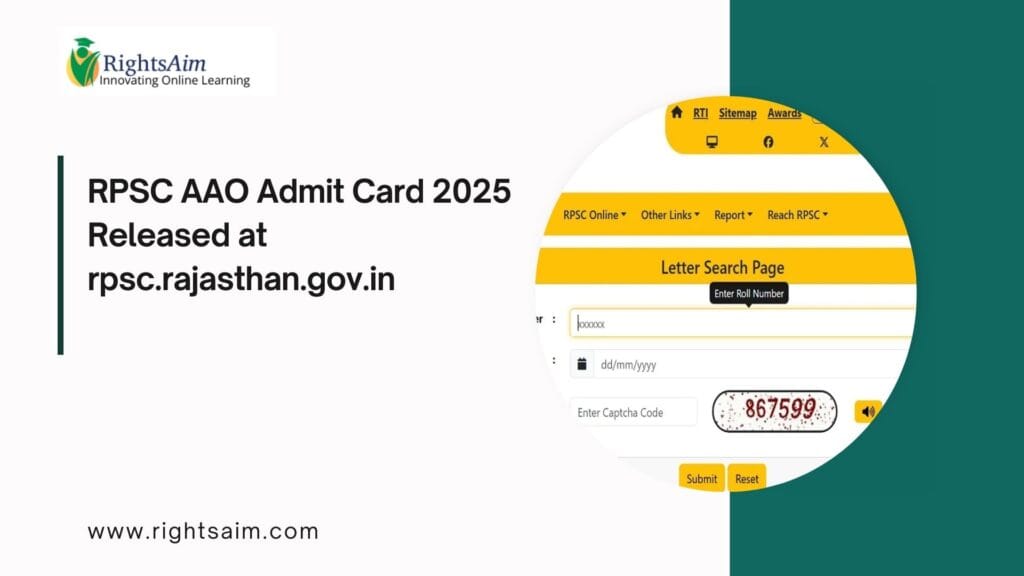
Table of Contents
RPSC AAO Admit Card 2025: Overview
The admit card contains essential information such as the candidate’s name, roll number, exam centre, reporting time, and exam-day instructions. Candidates must download the admit card well before the examination date to avoid last-minute technical issues.
The AAO post is a highly sought-after position, offering stability, career growth, and the chance to work in Rajasthan’s agricultural development initiatives.
Important Dates
Admit Card Release Date: Released in 2025
RPSC AAO Exam Date: As notified by the commission
Reporting Time: Mentioned on the admit card
Document Verification/Next Steps: To be announced after the exam
Candidates are advised to keep checking the official website for updates related to the exam schedule and further processes.
How to Download RPSC AAO Admit Card 2025
Candidates can download the admit card by following these simple steps:
Visit the official website rpsc.rajasthan.gov.in.
Click on the “Admit Card” section on the homepage.
Select the Assistant Agriculture Officer (AAO) Exam 2025 link.
Enter your Application Number, Date of Birth, and Captcha code.
Click on “Submit” to access the admit card.
Download and take a clear printout for use on exam day.
If the website loads slowly due to heavy traffic, candidates are advised to retry after some time or use an alternate browser.
Details Mentioned on the Admit Card
Once downloaded, candidates must verify the following details:
Name of the candidate
Father’s name
Roll number & application number
Photograph & signature
Exam date and shift
Reporting time
Exam centre address
Important instructions
Any mistakes should be immediately reported to RPSC through their official helpline.
Documents to Carry on Exam Day
Candidates must carry the following items to the examination centre:
Printed Admit Card
Valid Photo ID Proof (Aadhaar Card, Voter ID, Driving Licence, PAN Card)
Passport-size Photograph
It is mandatory to present both the admit card and ID proof; failing to do so may result in disqualification from the exam.
RPSC AAO Exam Day Guidelines
To ensure smooth conduct of the exam, RPSC has issued the following important guidelines:
Reach the exam centre at least 60 minutes before the reporting time.
Electronic gadgets such as mobiles, smartwatches, calculators, and earphones are strictly prohibited.
Carry only basic stationery such as a blue/black pen.
Follow all instructions given by the invigilators.
Candidates found engaging in unfair practices will face strict action.
Conclusion
The release of the RPSC AAO Admit Card 2025 is a crucial milestone for candidates preparing for the Assistant Agriculture Officer exam. Aspirants should download their admit card immediately, verify all details, and read the instructions carefully. With proper preparation and adherence to exam guidelines, candidates can give their best performance.